Check large mail-account lists and separate successful results
Krantz Mail
Check accounts you manage, separate the results, and search accessible mailboxes.
Latest shipped: v0.159.1 · Aug 26, 2026Pay with crypto · no automatic renewal
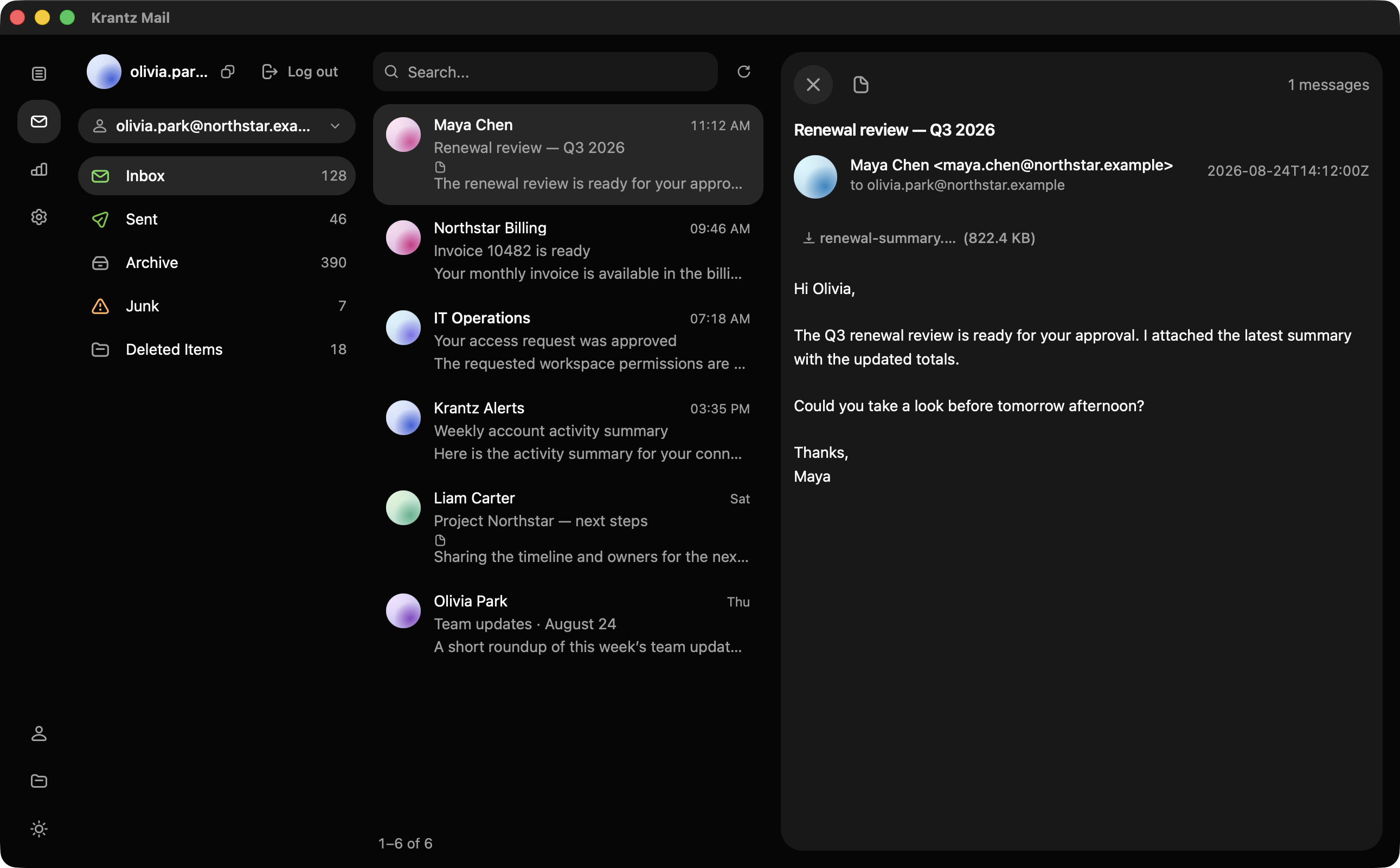
From input to output
What you can do with Mail.
Separate working accounts from every other result
Get distinct files for success, invalid, locked, 2FA, and errors.
Check the providers your list contains
Run IMAP, POP3, SMTP, Outlook, Onet, ABV, and GMX together.
Keep temporary connection problems separate
Retry timeouts, proxy failures, rate limits, and TLS errors.
Find matching messages across successful mailboxes
Keep matching accounts, message bodies, and attachments together.
Open a mailbox directly from its result
Browse folders, read mail, filter unread messages, and save attachments.
Keep every run ready to review
Reopen local runs and filter results by status, country, or domain.
Access and requirements
Get access to Mail.
Pro
$100 /month
30 days of access · manual renewal
Windows 10 or 11 · x86-64
Requires Visual C++ and WebView2.
Pay with crypto · no automatic renewal
Account checks, mailbox search, and message viewer
- All seven supported mail protocols
- Checker, search, history, and mailbox viewer
- HTTP, SOCKS4, and SOCKS5 proxy support
- Up to 2,000 concurrent checks
- Attachment downloads and Outlook forwarding
- 1 device