Split Large Text Files by Line Count
Choose chunk sizes, preserve complete rows and verify split output with Sort.
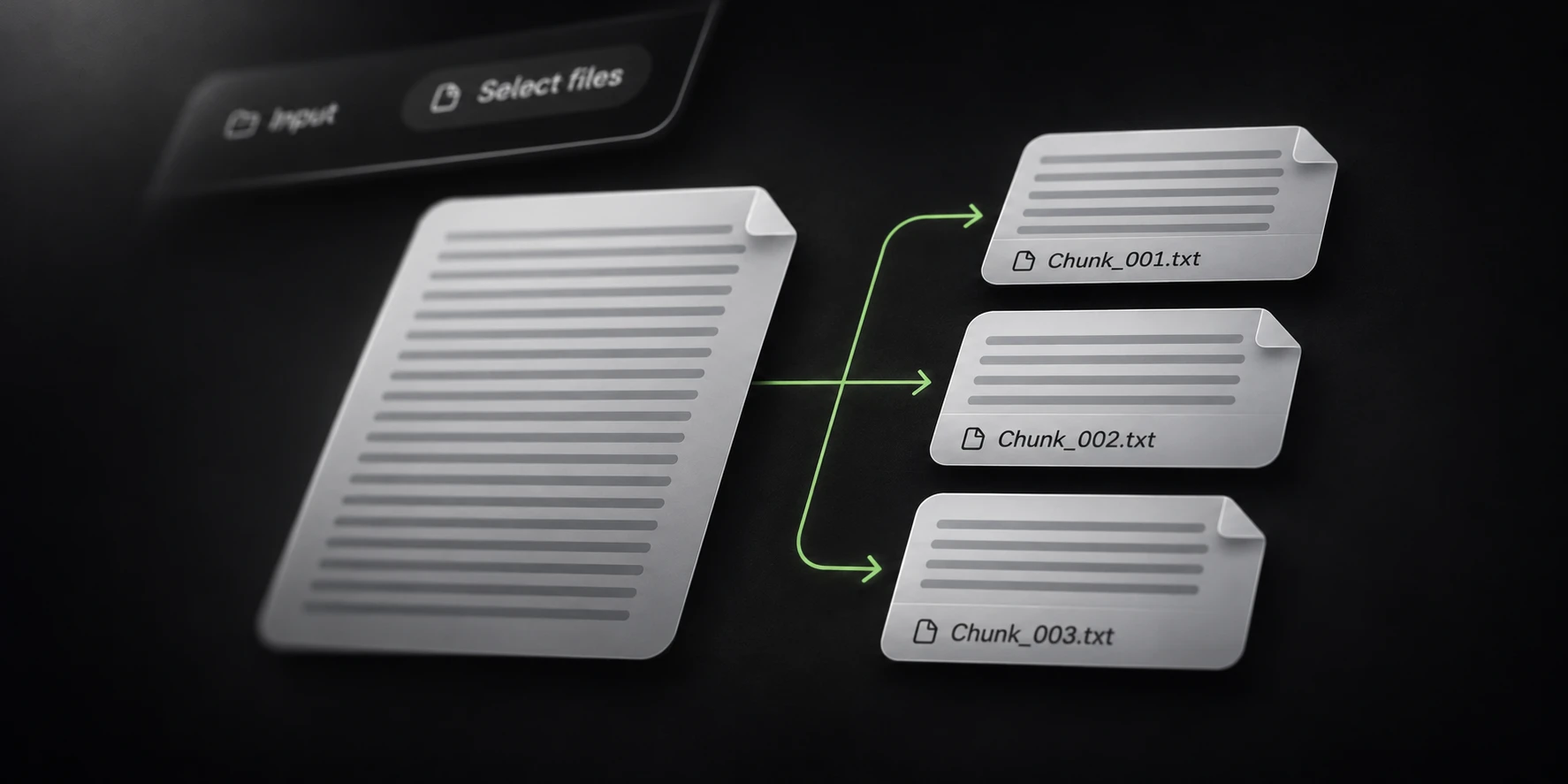
Split a large text file when the next application needs smaller inputs. Choose the number of rows per part around that application’s practical limit, then verify that the split preserves the rows you meant to keep.
Sort’s Splitter has a line-count mode. Its default is 500,000 lines per chunk, with the prefix Chunk. That default is a starting setting, rather than a limit that every downstream tool accepts.
Choose chunks for the next tool
A line-count limit and a byte-size limit answer different questions. Equal numbers of rows can produce very different file sizes when row lengths vary.
If the next tool has a byte cap, test representative rows and leave room below that cap. Do not assume a chunk of 500,000 short rows predicts a chunk containing long records.
Record the selected mode, chunk size, output folder and prefix before running the full input. Keep the original source separate from the split output.
Decide whether duplicates should remain. Splitting organizes an input into parts; use a separate deduplication operation only when removing repeated rows is part of the intended workflow.
Test complete-row boundaries
Use a small generated file with seven distinct rows and select three lines per chunk:
row-1
row-2
row-3
row-4
row-5
row-6
row-7
Expect three parts containing three, three and one source rows. Inspect the first and last rows of each part so a missing or repeated boundary row is visible.
Include a representative long row in your own test. The meaningful property is a complete record at the boundary, rather than similar-looking output sizes.
Leave the optional watermark empty for a plain split. If you enable output customization, evaluate it separately before comparing output rows with the source.
Review all parts and completion
After the sample behaves as expected, select the full file and a local destination with enough free space. Wait for output saving to finish before opening the parts in the next application.
With the default prefix, outputs begin at Chunk_001.txt. Keep the naming and operation context
together so parts from separate runs are not mistaken for a single completed result.
Reconcile the completed row total with the source selection and inspect representative boundaries. An interrupted run can contain usable parts without covering the complete input.
Use the Joiner guide when combining parts later, and the Filter guide when only a defined subset belongs in the downstream workload. Keep the source until that workload is verified.